After I became single again, once again, a few years back, I decided to jump into online dating. Yahoo.com was my first weapon of choice. As it happened I “met” a nice man via email. We spoke on the phone after exchanging a few emails. I was in one of those gregarious moods when he called, and absentmindedly invited him to go to the movies with me and my son that night. Surprisingly he said yes, so our first “date” was scheduled the day before Valentine’s Day.
The bell rang about 5:00 pm and I opened the door to find a handsome, medium height, well-dressed man, with a killer body. He had even brought me flowers! African violets in a nice pot, always my Mother’s favorite. Needless to say, I was momentarily thrilled with my first foray into online dating in real life. He was well mannered, polite, and seemed to mind neither the kid nor the unruly dogs.
We arrived at the movies only to discover that the next show wasn’t until 8, so we decided to go for Thai food to eat up the time, literally. We finished a pleasant dinner with still an hour to kill. My 8 year old son was getting fidgety, so I let him escape to the arcade next door. My date and I retired to the bar and talked. I expected the usual “getting to know you” talk. OY!
First he rolled up his sleeves, only to reveal a well-decorated arm. Now, as a dancer, I regard the human body as sacred territory, and have never been enthused with the thought of burning decorations onto it. Loading up my restrained social worker self, I expressed interest. He started telling me the stories behind each of his tattoos. Ah, those lovely beasts he had. Skulls, knives, death and destruction up and down each arm. I thought to myself I can deal with this – they’re just skin deep, and my other self was thinking – yikes, can he advertise violence any more loudly? Well, much to my chagrin, yes, he could.
He then sat back, and looked at me soulfully and shifted gears into the “Can I be honest?” mode.
I sat there expecting to hear the usual “single” guy story. You know that one. That one where they’re not really divorced yet, but are separated. The one where they haven’t really even moved out yet, but are really just living in the back room or sleeping on the couch, and haven’t filed papers yet. (Now I always ask men if they have their papers. When you buy a pure breed dog, they come with papers, and I require my dates have papers too! ) Well, a hidden wife wasn’t his story. I wish it had been!
He proceeded to tell me that he had spent five years in jail and was mending his ways. He told me all about his job, and how responsible he had become since his incarceration, and how he’d abandoned his violent ways. He offered few details, so as I shifted into high gear social worker mode, I bent my listening ear, and pried all the details out of him. I think I almost chewed a hole in my mouth while restraining myself from breaking out in a cold sweat and engaging in some really questionable behavior. — Turns out he had been in jail for “protecting” his sister. Seems that his sister had been raped, and the courts had not able to get enough evidence against him so they let the alleged rapist go free. My date, being the protective he-man that he was, decided that unresolved justice didn’t cut it. So he cut it. Yup, he had accosted the man in question and relieved him of his vital parts, so that he could no longer bother any other woman. Not the whole plumbing, just his testicles, or so I was told.
‘So here I was on a first date, with my young child, with a guy who had actually removed another human being’s body parts. Can I pick em or what?? Needless to say, I had no genteel way of extricating myself from the evening. Leave it to me eh? We did finally go to the movies, but conveniently a fire alarm went off half way through it. Although it was a false alarm, and _I_ wasn’t the one who pulled it; it put an abrupt end to the evening! It was fate stepping in, into my little abyss.
So that was the last date I made for Valentine’s Day. I’m a little surprised it wasn’t my last date period! In fact, it was just the first in a long series of online dating adventures you really don’t want to live through. Although, they do make for some entertaining stories at parties.
The most frightening thing is, to this day, he was the most polite, most respectful, handsome, and considerate man I’ve met through online dating. Yeesh…
Soooo, YOU think you got a Valentine’s story? Ha! Match mine!
Gift Fair & Photographic Exhibit by ilene hoffman When: Sunday, December 3rd Time: 12 PM to 4:30 PM Location: 5 Chambers Street, Needham MA
A fair to remember! I shoot wildlife, nature, and your family’s pets and produce fun products.
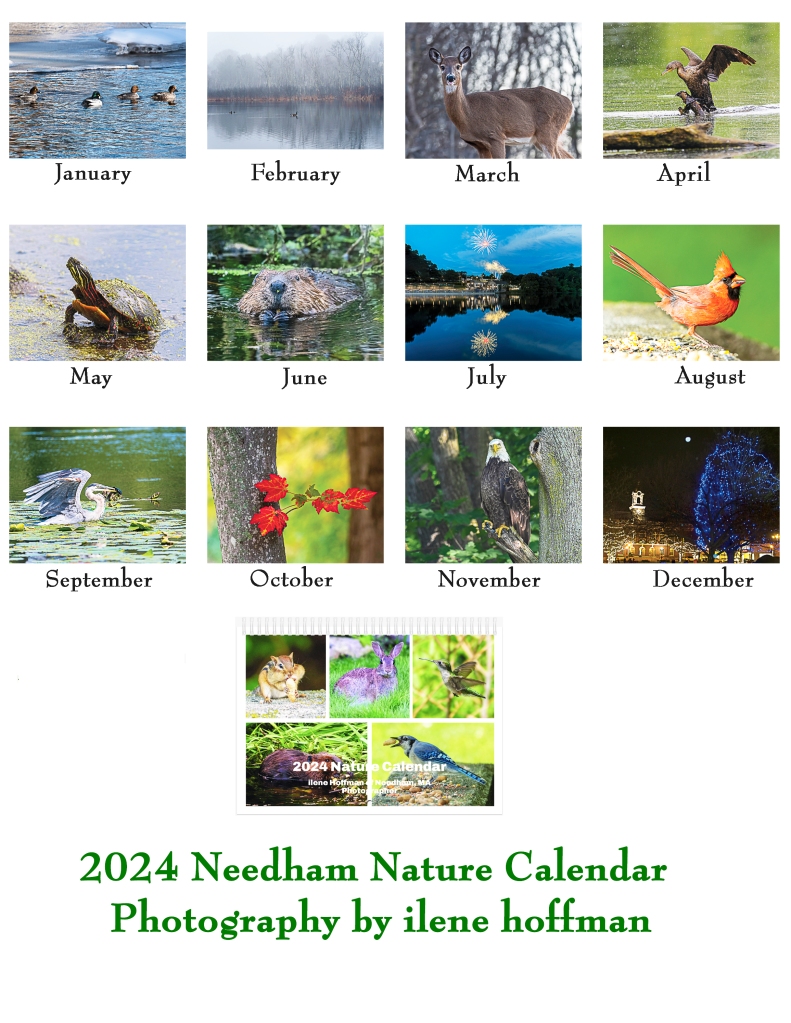
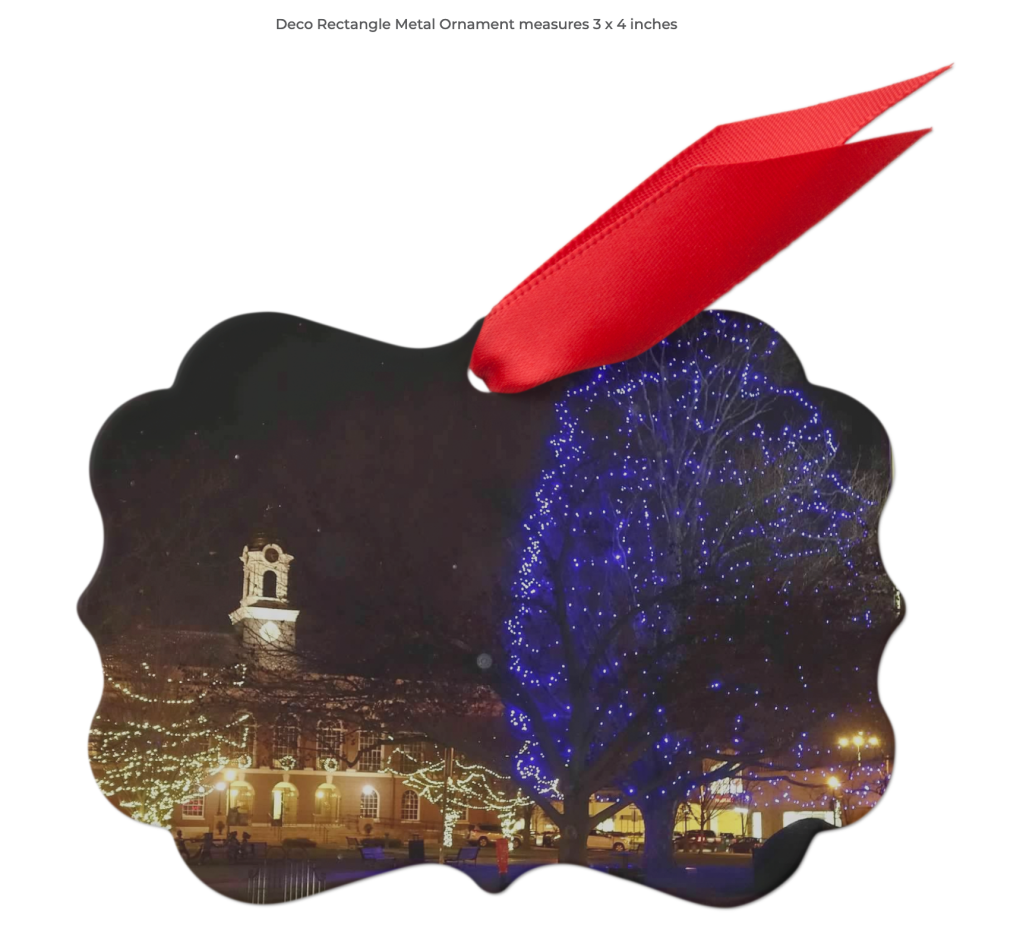
This is my last Gift Fair of 2023, with unique gifts, photographs, and other items for your buying pleasure. Included are my 2024 Local Nature Calendars, Coffee Mugs, Holiday Ornaments, Decks of Playing Cards, Canvas Bags, Magnets, Photographic Cards, Fine Art Prints, and a smattering of framed photos to decorate your household or office!
If you wish to schedule a family pet photography session, there’s still time to get some photographs in time for the holiday season! Please contact me at ilenesmachine@gmail.com at your earliest convenience.
Photographic Gift Fair & Exhibit by ilene hoffman and Stephan Grably When: Saturday, September 23, Time: 12 PM to 4:30 PM Location: 5 Chambers Street, Needham MA Masks are optional.
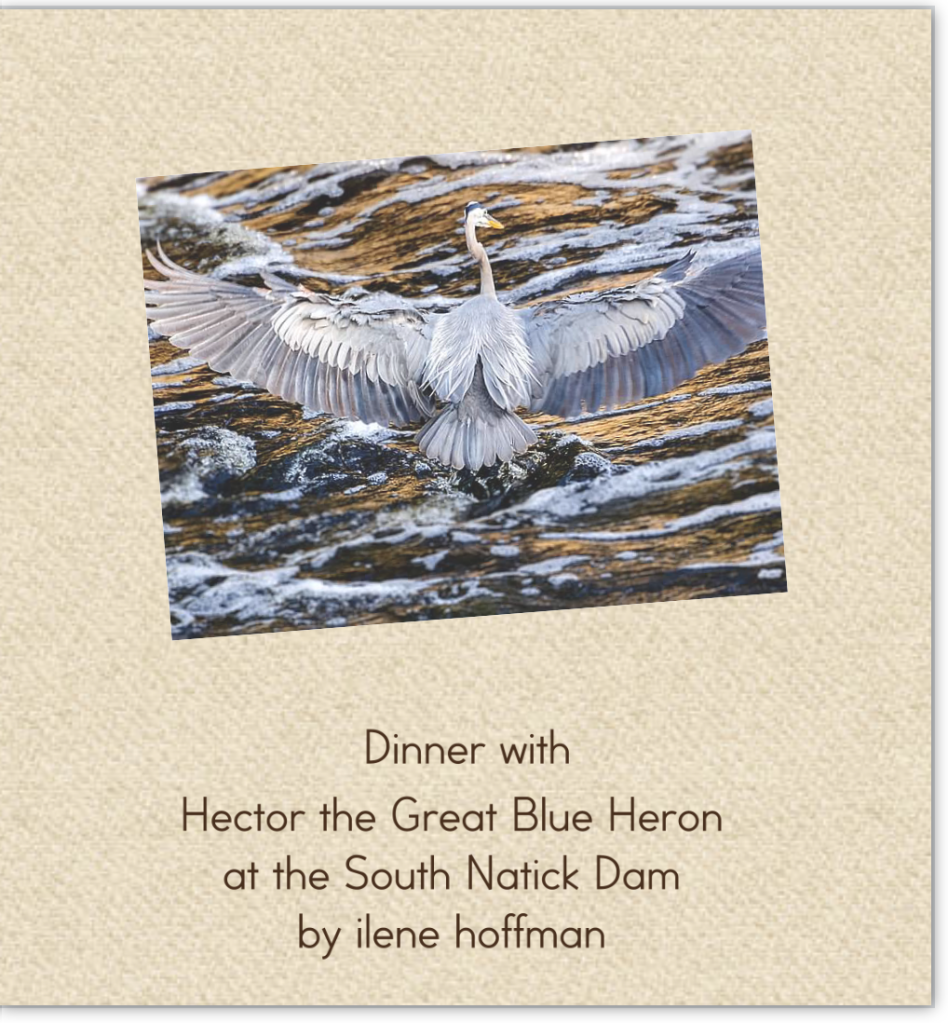
Enjoy scenes from local ponds, wildlife portraits, and landscapes from the Boston area. You can purchase fine art prints, photo greeting cards, magnets, puzzles, and limited edition products. Also, you can buy my Hector the Heron Dines at the South Natick Dam picture book.
Red Bridge in S. NatickCanvas BagPicture Book with Text
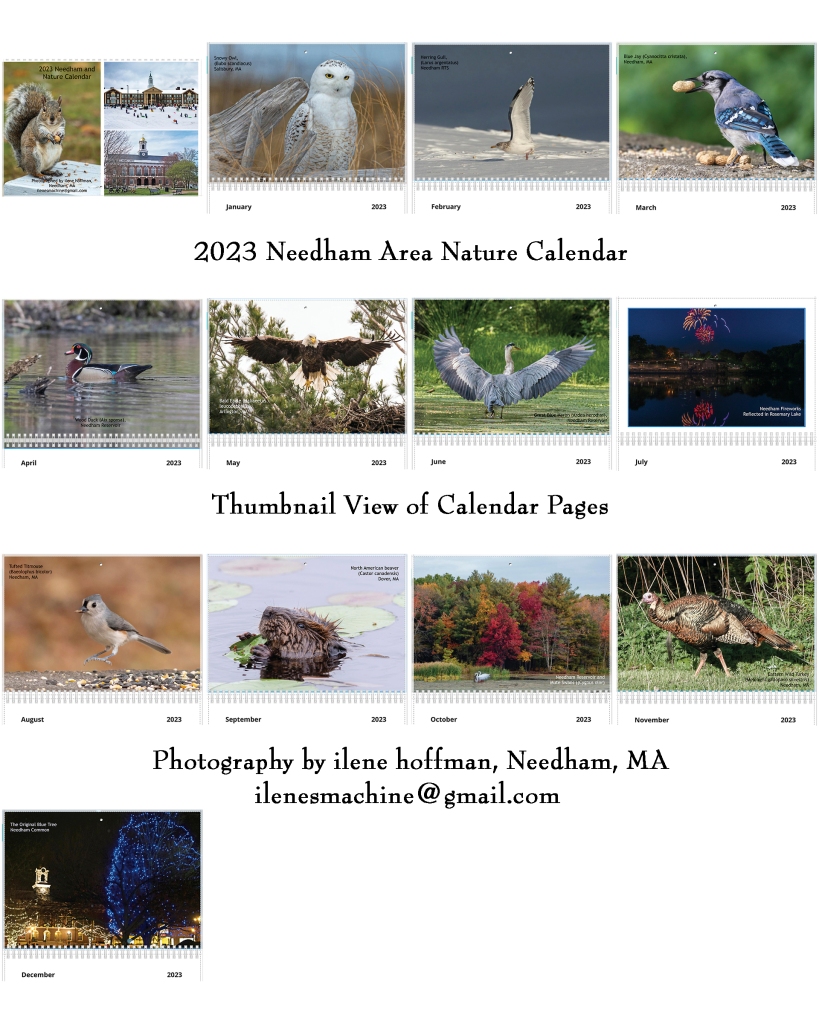
Preorder 2024 Local Nature Calendars at the show or via email. Sponsorships available, so if you’d like your company name or a company message printed on the front or back of my calendar, please email for more information! Sample Calendar from 2023:
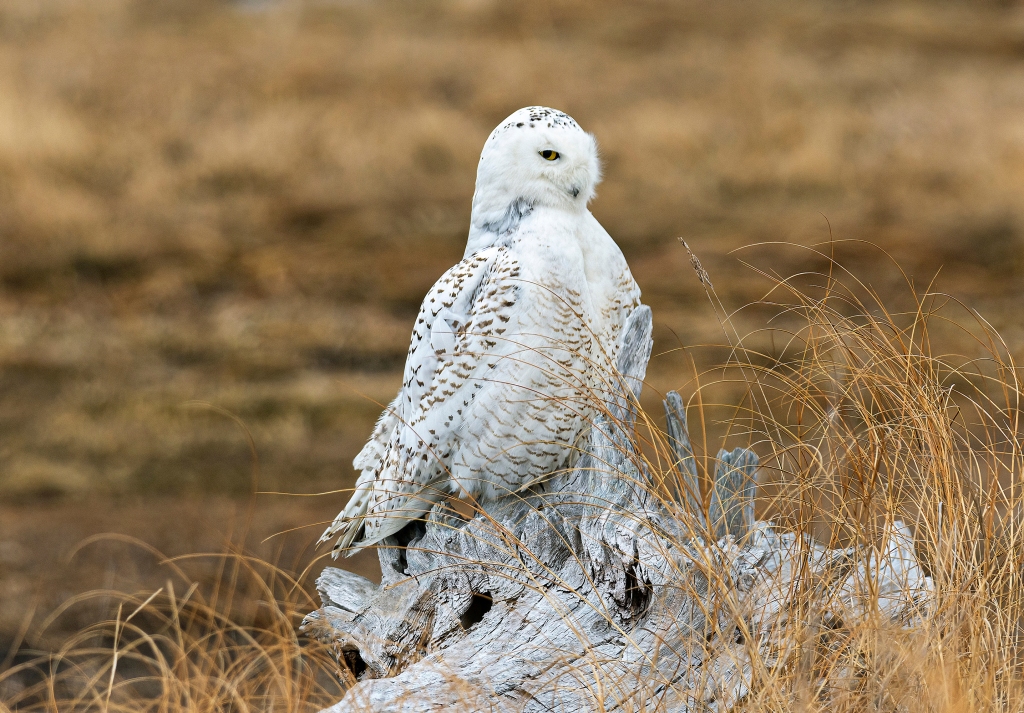
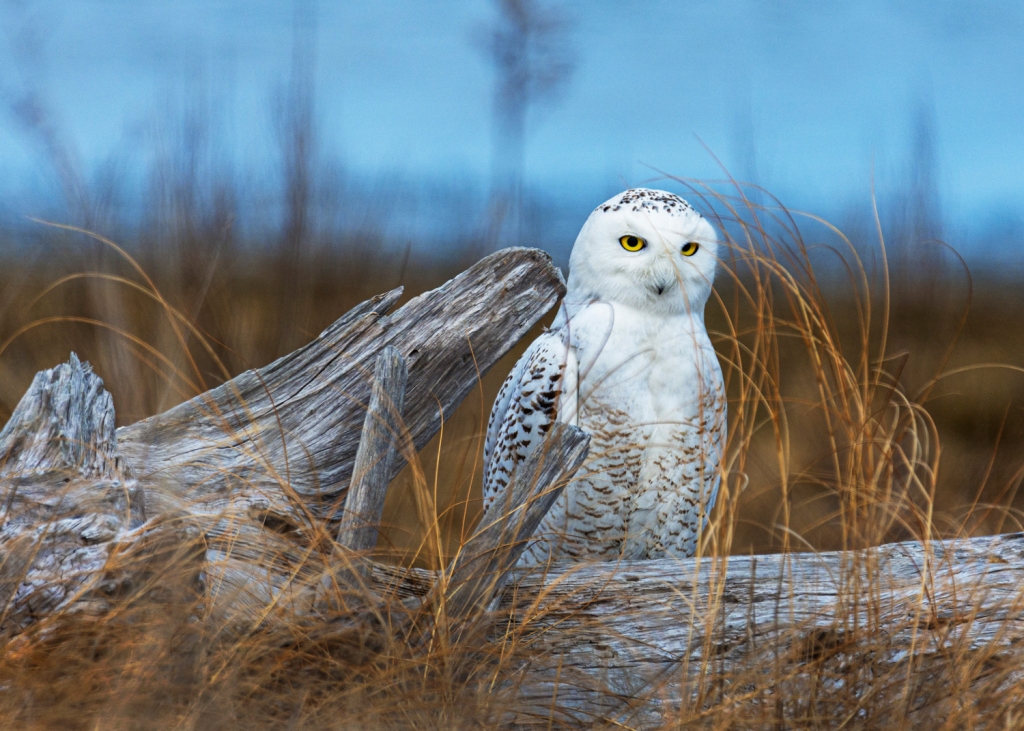
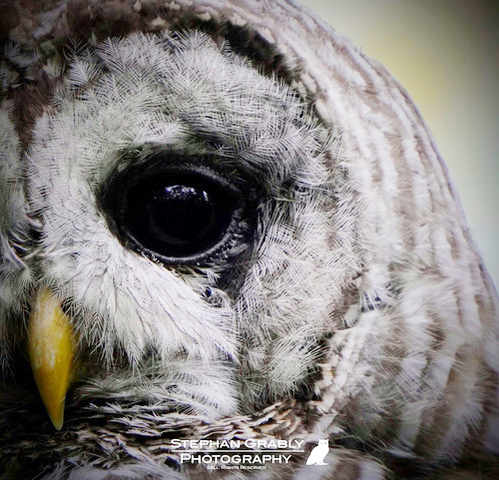
I will be joined by Stephan Grably, a wildlife and nature photographer, who specializes in owl photography. Stephan grew up in the Alps and became fascinated with owls’ ability to adapt to their environment. When not carrying 20lbs of gear in the woods looking up for owls, you’ll find him looking down for another hobby: Mycology and foraging wild mushrooms. Enjoy asking Stephan questions about his passions!
If you cannot attend my fair, don’t despair! You can still order many types of products with my photography on them from my Pixels.com site:https://ilenehoffman.pixels.com
You can also see all my photography related pages and other social media sites on my Linked Tree site: https://linktr.ee/ilenesmachine
Note: This article is designed to be seen best on a desktop computer, because the graphics are cut off on smaller displays.
Last night after much weather debating in my head, I wrangled my gear and trotted off to capture the town’s fireworks at the local lake. We were supposed to have thunder storms, but that never happened. I feel bad for the neighboring towns that cancelled their shows because of the errant weather predictions. I really didn’t want to go alone to shoot, because if I have to run to the car, I hate leaving expensive things unprotected, but no one with which I spoke wanted to join me. It took me three trips to the car to set everything up, but luckily few people had arrived yet.
I had spoken with the Dept. of Public Works in town to make sure setting up camera equipment was ok, because they are doing work on the water main in that part of town. I also talked with the police department who had kindly given me NO PARKING cones to put down, so that I’d be sure to have a place to park. Parking for the high school hill’s fireworks is at a premium, all over town. That turned out to be a bad joke though, because some assholes moved the cones and parked in the spot I had marked out.
Fireworks in Needham, MA are legendary. The show was always amazing and full of surprises. The town basically doubles in size during the July “4th” fireworks. We always have ours the night before Boston has their big firework show, so it’s usually on July 3rd. The fireworks are organized by the Needham Exchange Club, not the town.
The Exchange Club’s Banner for the July, 2023 CelebrationFireworks over and reflected in Rosemary Lake (Number 20230703_016001)
Last year I started shooting at Chamber’s Cove, which is a small parking lot on the side of Rosemary Lake. It’s just a teeny park that is good for watching the lake wildlife. It doesn’t attract crowds because it’s about 3/4 of a mile from the main fireworks launch site at the high school. The lot fills up during the fireworks with nearby residents.
This year, I met another photographer, a college student, so I wasn’t completely alone while shooting. While setting up I contacted my friend in Denver who helped me last year, via Facebook. We tried to voice, but it didn’t work quite right. Next, I noticed that one of the two photographers on Clubhouse, who had helped me figure out exactly how to set up the camera was also on FB. I messaged him for help and stuck the phone in my bra while he reiterated his instructions. When I retrieved my phone, there was his face looking up at me! I guess my breast dialed him, heh. Considering he’s in Perth Australia, the phone connection was amazing. So, we spent 1/2 hour on the phone trying to set up my camera, which was on a tripod, with no remote, so I could shoot the fireworks as best as possible. By the way, the equipment I used was a Nikon D500 and a Sigma 10-20mm lens, which I’d gotten for free from the recycle building at the town dump. I’d never used the Bulb setting on my camera, so that was an interesting learning experience! THANK YOU Jon!!
I quickly realized that I couldn’t get the whole firework and the reflection in one shot with a horizontal view, so I flipped the camera sideways. Thanks to my stuck tripod, that meant I had to shoot from a lunge position, while paying close attention to my breathing, so as not to shake the camera. It became an exercise session as well as a shoot! Needless to say, I was exhausted when I got home 3 hours later.
Fireworks Started Early Before Dark Due to Storm Threat – Horizontal Shot (Number 20230703_015906)
The student photographer and I had a running commentary throughout the whole 1/2 hour show, which I enjoyed. He was using a Nikon D3400, but I never got the lens specs. After the show, hundreds of people walked by on their way home, so I waited to break down.
Vertical Shot of Fireworks (Number 20230703_015963)Another vertical shot of the varied fireworks. (Number 20230703_016008)
Once home, I logged into Clubhouse to talk to some of my photographer friends that often gather in there. They were neck deep in an editing conversation and sharing shots on a Discord server. Each person uploaded a RAW file and everyone took at stab at editing the shot. So, I uploaded a couple of my shots for folks to tackle. It’s informative and fun to see how someone else edits your shots. The results of edits by Alex Butler and Jon L. Miller are shown below.
Alex Butler’s Edit of one of my shots. (Number 20230703_016006)
Alex chose to zoom in and darken the photo. I think he used CaptureOne to edit. I really like this edit! John Miller chose to use two of my shots and create a composite image in Photoshop. People on my post in the Needham Facebook feed seem to like this edit below the best! While Alex and I chose to try and hide the recreation building on the edge of the lake, Jon chose to make it an integral part of the photograph.
John L. Miller’s edit of two combined shots. (Number 20230703_016006 & 20230703_016010)
About the Author

Ilene Hoffman is a Contributing Editor at MacTech and TechRepublic magazines. She is also the Administrator at MacFixIt.com Forums and has worked with many community–based web sites.


Naked a man comes into the world and naked he leaves it, after all is said and done he leaves nothing except the good deeds he leaves behind.
--adapted from the great Jewish thinker RASHI (Source Unknown)
In 1997 President Clinton passed the Volunteer Protection Act. This act was designed to protect volunteers from being unfairly sued or otherwise held unfairly accountable for reasonable actions encountered while doing their “jobs” as volunteers. A random search on the web uncovers many voluntary agencies who believe that the act has a lot of holes in it, but that’s not our specific beef here though. My beef is, where does it say who is responsible for the volunteers who are poorly trained, over committed by their “employers,” and misused by profit making companies? What about the volunteers who don’t get any recognition or rewards for their time and achievements? There’s more to volunteer abuse, than being sued for a job well–done.
When was the last time you knew someone who walked into an office and said: “Hey, this job looks like fun, can I volunteer at your company?”
It doesn’t sound like a likely scenario, yet that is what’s happening all over the Web on “community-based” sites. (Why do I put community in parentheses, well, because I’m starting to doubt the truth of whether these sites really constitute community building, but that’s a whole ‘nother rant for another day.)
As an advocate for volunteerism I’ve put my money where my mouth is for many years. I’ve worked with chronic psychiatric patients, drug involved teens, low-income women, single parents, and computer user groups. All of these groups had one thing in common: They were non-profit (501–C3) organizations helping some disenfranchised population reach needed services. The keyword here is non-profit. Groups that deliver needed services to some population which either has no access, no knowledge, or no funds to receive professional services readily available to monied populations.
Volunteers aid agencies by providing needed services that help reduce operational costs; there is no question of that. Volunteers aid people in many, many ways. So what do the thousands of volunteers across the web really contribute to society? Better yet, what company policies are in place to foster and reward these volunteers for their hard work and commitment?
Are web companies abusing the privileges of using volunteers? I think so. If you go to any community site, you will rarely find a non-profit organization. You will find profit making companies who “employ” volunteers to further the company’s goals and enhance their ability to make money though. Not to belittle the volunteers themselves, they are making a difference in people’s lives. They provide information, impart knowledge, help users navigate the web, aid in leading discussions (chats and message boards), help design sites, and create a friendly user experience on the company’s web site.
The problem lies with the companies. One Volunteer Development Coordinator recently expressed this concern in a mailing list: “Are these “volunteers” help[ing] the company, which in turn will help the community? Or are they simply helping a company that is trying to save money for their shareholders?”
I think far too many profit making web-based companies are sapping our valuable volunteer resources by enticing people into volunteering for their own gain. America Online, which at least provided free accounts to their volunteers, was the target of a suit, when their service costs were reduced and the volunteers felt their rewards no longer justified the means. The difference between AOL and many other companies is they still provided those free accounts, no matter the dollar value. Most web-based companies don’t even pay volunteers’ service provider costs. So, in effect, volunteers not only give time, but actually pay for the privilege.
The Independent Sector claims the “volunteer rate for 1998 [was] $14.30 [per hour]. (Note: The estimated national rate per volunteer hour is $31.80 in 2023.) We arrive at the new figure each year after calculating the average hourly wage for nonagricultural workers as published in the latest edition of the Economic Report of the President (released each year (for the previous year) at the end of February) and increasing it by 12 percent to estimate fringe benefits.” This means that people are expending volunteer hours at a rate that is most probably higher than their own hourly wages at their jobs. Most companies are benefiting by the work done at that phantom $14.30 per hour rate, but not returning anything to society or to the IRS for that investment.
Some web-based companies even require volunteer work above and beyond their paid workers’ hours, and give volunteers the exact same jobs as the paid workers, both of which I think may be illegal in some states. These companies are very good at building internal loyalty and espousing the extra work is for the “good of the community” to entice workers to give more and more of their time. Are these people rewarded in any way for their extra time? Not on some sites. I wonder when the volunteers will realize that they are being misused as a way to increase a company’s profit and little else.
Got a comment? Know of a related law in your state? Know of a profit making website who does it the right way? I’d love to hear it, email me at:ileneh-at-mac-dot-com.
Note, you can actually just leave a message here if you want to comment on this piece. This article was originally published around 2000. Thank you!

















 ilenes machine
My Funny Valentine
After I became single again, once again, a few years back, I decided to jump into online dating. Yahoo.com was my first weapon of choice. As it happened I “met” a nice man via email. We spoke on the phone after exchanging a few emails. I was in one of those gregarious moods when he called, and absentmindedly invited him to go to the movies with me and my son that night. Surprisingly he said yes, so our first “date” was scheduled the day before Valentine’s Day.
The bell rang about 5:00 pm and I opened the door to find a handsome, medium height, well-dressed man, with a killer body. He had even brought me flowers! African violets in a nice pot, always my Mother’s favorite. Needless to say, I was momentarily thrilled with my first foray into online dating in real life. He was well mannered, polite, and seemed to mind neither the kid nor the unruly dogs.
We arrived at the movies only to discover that the next show wasn’t until 8, so we decided to go for Thai food to eat up the time, literally. We finished a pleasant dinner with still an hour to kill. My 8 year old son was getting fidgety, so I let him escape to the arcade next door. My date and I retired to the bar and talked. I expected the usual “getting to know you” talk. OY!
First he rolled up his sleeves, only to reveal a well-decorated arm. Now, as a dancer, I regard the human body as sacred territory, and have never been enthused with the thought of burning decorations onto it. Loading up my restrained social worker self, I expressed interest. He started telling me the stories behind each of his tattoos. Ah, those lovely beasts he had. Skulls, knives, death and destruction up and down each arm. I thought to myself I can deal with this – they’re just skin deep, and my other self was thinking – yikes, can he advertise violence any more loudly? Well, much to my chagrin, yes, he could.
He then sat back, and looked at me soulfully and shifted gears into the “Can I be honest?” mode.
I sat there expecting to hear the usual “single” guy story. You know that one. That one where they’re not really divorced yet, but are separated. The one where they haven’t really even moved out yet, but are really just living in the back room or sleeping on the couch, and haven’t filed papers yet. (Now I always ask men if they have their papers. When you buy a pure breed dog, they come with papers, and I require my dates have papers too! ) Well, a hidden wife wasn’t his story. I wish it had been!
He proceeded to tell me that he had spent five years in jail and was mending his ways. He told me all about his job, and how responsible he had become since his incarceration, and how he’d abandoned his violent ways. He offered few details, so as I shifted into high gear social worker mode, I bent my listening ear, and pried all the details out of him. I think I almost chewed a hole in my mouth while restraining myself from breaking out in a cold sweat and engaging in some really questionable behavior. — Turns out he had been in jail for “protecting” his sister. Seems that his sister had been raped, and the courts had not able to get enough evidence against him so they let the alleged rapist go free. My date, being the protective he-man that he was, decided that unresolved justice didn’t cut it. So he cut it. Yup, he had accosted the man in question and relieved him of his vital parts, so that he could no longer bother any other woman. Not the whole plumbing, just his testicles, or so I was told.
‘So here I was on a first date, with my young child, with a guy who had actually removed another human being’s body parts. Can I pick em or what?? Needless to say, I had no genteel way of extricating myself from the evening. Leave it to me eh? We did finally go to the movies, but conveniently a fire alarm went off half way through it. Although it was a false alarm, and _I_ wasn’t the one who pulled it; it put an abrupt end to the evening! It was fate stepping in, into my little abyss.
So that was the last date I made for Valentine’s Day. I’m a little surprised it wasn’t my last date period! In fact, it was just the first in a long series of online dating adventures you really don’t want to live through. Although, they do make for some entertaining stories at parties.
The most frightening thing is, to this day, he was the most polite, most respectful, handsome, and considerate man I’ve met through online dating. Yeesh…
Soooo, YOU think you got a Valentine’s story? Ha! Match mine!